The Art of Travelling · Volume 01

Collect moments. Not just destinations.

A premium digital travel journal with 42 thoughtfully designed pages. Type, speak, write with Apple Pencil and keep your photographs, on your phone, tablet or computer.

Installs like an app · Works offline · Your entries stay private on your device

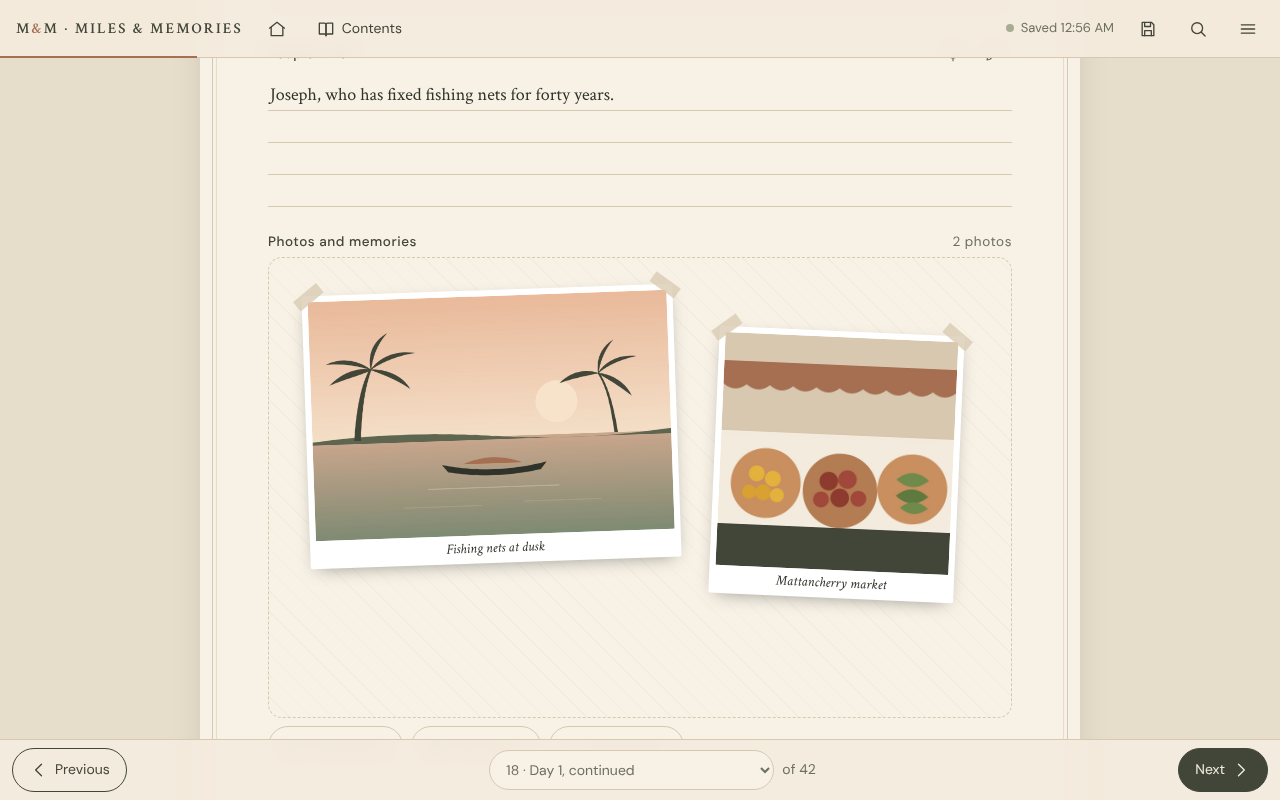
A daily travel log page with two photographs and captions
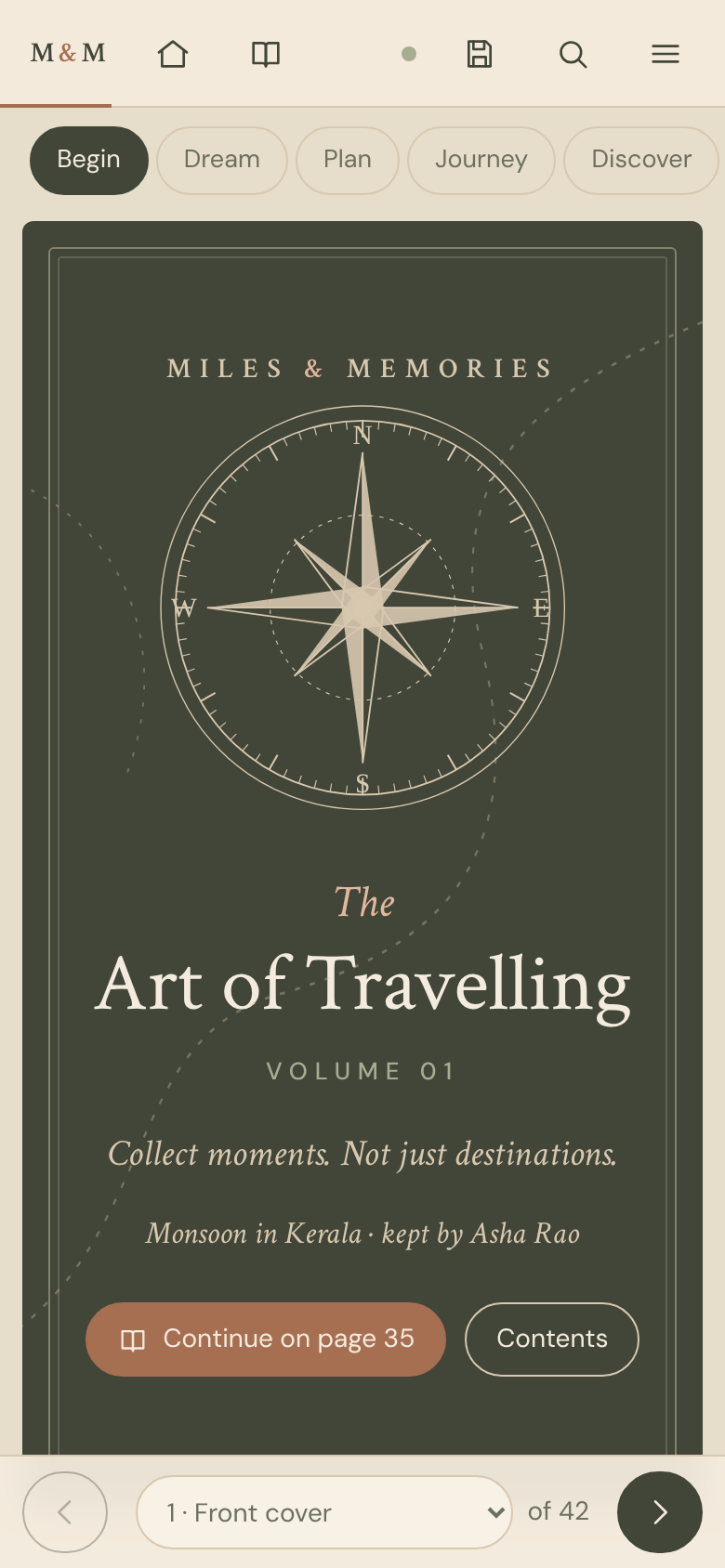
The journal's front cover on a phone
42pages, from bucket list to letter to your future self
6+two-page daily logs, add as many days as you travel
4ways to write: type, speak, draw and photograph
0accounts needed. Your memories stay on your device
Four ways to remember

Write the way the moment asks for

Type

Tap any line and begin. Pages grow with your story, so there is always room for one more paragraph.

Speak

Tap the microphone and talk. Your words become editable text in Chrome, Edge and Safari, and in other browsers they are kept as voice recordings.

Write by hand

Apple Pencil, stylus, finger or mouse, with pressure-sensitive ink, five colours, an eraser, and undo.

Add photographs

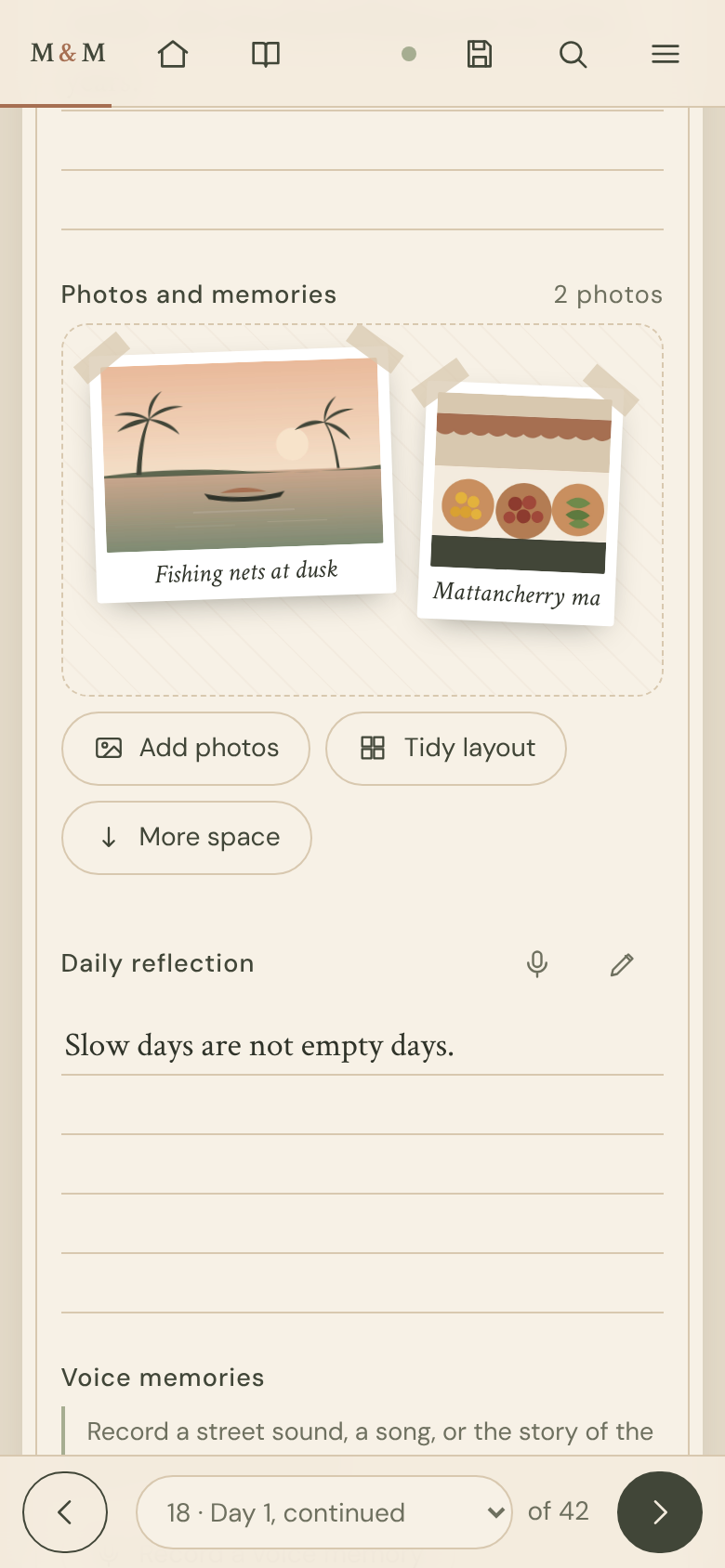
Drop in your photos, drag them into place, resize from the corner and add a caption, like a scrapbook.

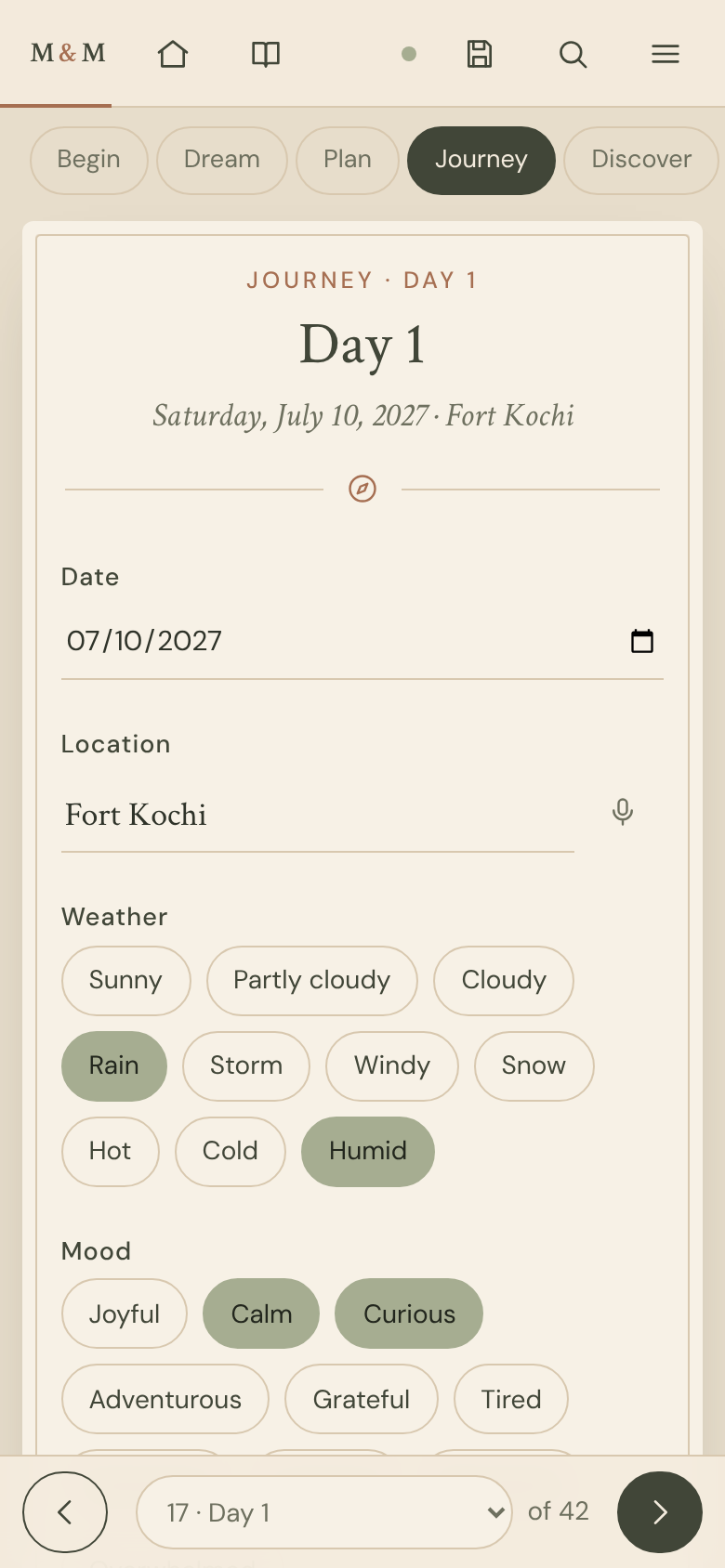
Day 1 with weather and mood selected
Photos and memories on a daily log
The journey

Every day gets its own two pages

Six daily logs are ready, and one tap adds another when the trip runs longer.

  • Date and place, filled in from your trip dates
  • Weather and mood, tapped rather than typed
  • Places explored, best moment, food discoveries
  • The unexpected, and the people you met
  • Photos, a sketch pad, voice memories and a daily reflection
The plan

Plan with intention. Spend on what matters.

The practical pages do the arithmetic, so you can stay present.

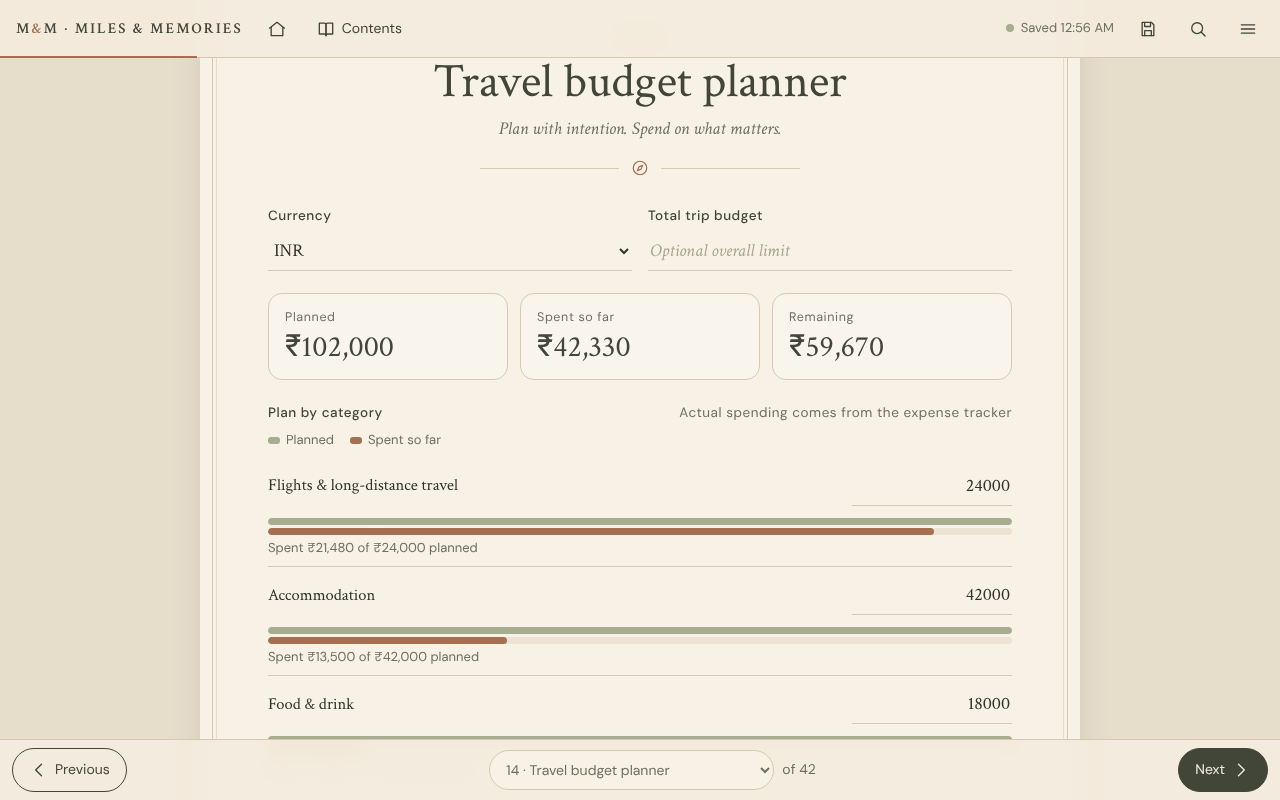
  • Budget by category, in 24 currencies
  • Expense tracker with automatic totals and a daily average
  • Planned against actual spending, with an alert when you go over
  • Itinerary with automatic day numbers and dates
  • Pre-travel and packing checklists you can make your own
The travel budget planner showing planned and spent amounts by category
Inside the journal

Forty-two pages, from first dream to last memory

Begin & Dream1–8

  1. 1Front cover
  2. 2Welcome to your journey
  3. 3This journal belongs to
  4. 4My travel philosophy
  5. 5–6Travel bucket list
  6. 7Dream destinations
  7. 8My travel memories timeline

Plan9–16

  1. 9Trip overview
  2. 10The story behind this trip
  3. 11Pre-travel checklist
  4. 12Packing checklist
  5. 13Documents and bookings tracker
  6. 14Travel budget planner
  7. 15Itinerary planner
  8. 16Route map and places to explore

Journey17–28

  1. 17–18Day 1
  2. 19–20Day 2
  3. 21–22Day 3
  4. 23–24Day 4
  5. 25–26Day 5
  6. 27–28Day 6, and more as you need them

Discover29–36

  1. 29Food discoveries
  2. 30Cafés and local favourites
  3. 31People I met
  4. 32Places I loved
  5. 33Unexpected moments
  6. 34Photo gallery
  7. 35Trip expense tracker
  8. 36Souvenirs and best purchases

Reflect37–41

  1. 37My favourite memories
  2. 38What this journey taught me
  3. 39Letter to my future self
  4. 40Trip review and rating
  5. 41Memory scrapbook

And to close42

  1. 42Back cover, with your journey in numbers

Also included: a printable A4 edition of all 42 pages for writing by pen, and a step-by-step guide.

Every device

Install it like an app, take it anywhere

After purchase you receive your private journal link. Open it once, add it to your home screen, and it works offline on the road.

iPhone & iPad

  1. Open your journal link in Safari
  2. Tap Share, then Add to Home Screen
  3. Open Miles & Memories from your home screen. Apple Pencil is ready

Android

  1. Open your journal link in Chrome
  2. Tap Install app (or ⋮, then Install app)
  3. Find Miles & Memories with your other apps

Windows & Mac

  1. Open your journal link in Chrome, Edge or Safari
  2. Click the install icon in the address bar, or bookmark it
  3. Write with a keyboard, mouse, pen or touchscreen
Kept safe

Your memories are yours alone

Private by design

No account, no tracking, no server copy. Your words, drawings, photos and recordings are stored on your own device.

Saved as you write

Every entry is saved automatically, with a clear confirmation, and a warning if your device ever refuses to save.

Backups that happen

One tap saves a complete backup to iCloud, Google Drive or Files. On computers it can back up to a folder automatically, and it reminds you when a backup is due.

Move between devices

Import your backup on a new phone, tablet or computer and carry on exactly where you left off.

Export as a PDF

Turn your finished journal into a beautiful A4 PDF to keep, share or print.

Works offline

Once installed, the journal opens and saves without a connection, at sea or in the mountains.

Questions

Before you set off

What exactly do I receive?

A private link to your interactive journal, a printable A4 PDF of all 42 pages, and a short how-to guide. There is nothing to download from an app store, and no subscription.

Which devices does it work on?

iPhone and iPad (Safari), Android phones and tablets (Chrome), and Windows or Mac computers (Chrome, Edge or Safari). Firefox works too, except that the microphone records voice notes there rather than turning speech into text.

Does it need an internet connection?

Only to open it the first time. After that it opens and saves offline. Turning speech into text needs a connection, but voice recordings, typing, handwriting and photos all work offline.

Where are my entries stored?

In your browser's private storage on your device. We never see them. Because of that, please keep a backup: the journal reminds you, and one tap saves it to iCloud, Google Drive or Files.

Can I use it on my phone and my iPad?

Yes. Each device keeps its own journal. To move your journal, save a backup on one and import it on the other. Automatic syncing between devices is not included.

Can I print it?

Yes. Export your filled journal as an A4 PDF at any time, or print the included blank edition and write by pen.

Is there a guide?

Yes. Read the how-to guide (PDF).
Miles & Memories · Volume 01

Begin your next journey on the first page

Plan before you leave, write while you wander, and keep it all for the years ahead.

Get the journal